meshedvr
patreon
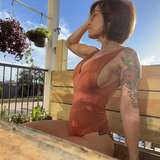
The last two weeks were spent smashing bugs, making tweaks, and adding some new content and features all based on community feedback! Shown in this image is the new breast soft physics self-collision option as requested by a long time backer (thanks MiniMax!!!)! Also shown are the new UISlider and UIToggle atoms, allowing for trigger controls to be placed in-world. Your input is important and welcome to help further improve VaM. Join us on Discord if you haven't already to make further suggestions, report on bugs, and check out the great community content being released there. Get the Discord invite by linking your Discord account here: https://www.patreon.com/settings/apps
1.X will have one more major release, 1.20, and then primary focus will be shifted to 2.X, as mentioned in older posts. More details of 2.X will be in future posts. Here are a couple of older posts that describe the rough plan: https://www.patreon.com/posts/33214601 https://www.patreon.com/posts/33310690
Just use VaM_Updater.exe in your existing install area to get it. If you don't have VaM yet, see this post: https://www.patreon.com/posts/downloading-and-32794384
Features:
Content:
Tweaks:
Bug Fixes:

Wow thank you for this, been having this error for a while, works every time!!
replied belwo
if no one answered yet, export the cloth as an object from daz to blender. check it out in blender, check the normals, check the uvs. Blender can normalize the normals, and you import it back to daz, and use the transfer utility to apply the bones back to the object. Then try importing to vam.
hello, recently I have experienced with an import clothing problem. I used the autofit from G8 to G2 male but when i try to import that specific clothing it says:"import failed object reference not set to an instance of an object" it only happens to that specific clothing and I dont know why. If someone is familiar with this issue and can help I would really appreciate it!! thanks in advance.
I just wanna say I love your content for VaM so far! Keep up the amazing work Meshed :).
i cant find the add atom button how do i add assets/atoms to my scene??
Good day. I really want to play your VR game. Can you advise which glasses are better for this to buy?
Hello to you, I don't know if this is the best place to ask my question but I have to start somewhere ;) following the update I encounter a big problem of loss of performance when switching from the latest version of 1.18 to this one. To give you an idea I'm shooting at 20 fps on average on an empty stage with only one person dressed. ( 2080 ti ) in medium setting. If you have an idea of what I could see and do to solve my problem, thank you in advance ;) PS : I would like to take this opportunity to congratulate you on the excellent work that is being done on this incredible software.
Super hot
Go to Navigation and uncheck "Navigate Lock Height". Not sure why that's a default tbh
Hmm, that better not be the case.
not really sure if its just me or not but i cant move up and down.. my right joystick will rotate left and right but wont move up and down :( really frustrating
Seems kinda lame none of my stuff will be compatible with "2.0" what a waste
never mind, I found the updated updater
I get a "fatal error occurred" when I try to run VamUpdater
And by "some" I mean "many"
For whatever reason, some clothes seem to be "transparent" against the background. Not against the body, but just the background. This is not supposed to happen.
Unfortunately "Load Look" is bound to the appearance folder. EDIT: As a fix I had to duplicate everything (textures and all) and put in inside saves/person/appearance and now it's working...
Maybe just wait a year for the 2.0 lol
Also, "Load Look" brings up the "Load Preset" browser. One can't replace a look in a scene anymore. I guess we'll have to wait for the bugfix.
Thank you for this update!!
Was fast release. Thank you :)
Some of my "looks" crash Vam. During the "look" initialization a Unity error message blinks for a split second and then VaM shuts down. 1.19.1.0 worked just fine. Any incompatible morphs I should be looking at?
ok. i found
where is the new scenes?_
Bullseye
Thank you wow