SARV
patreon
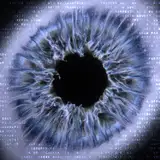
In order to welcome you to my Patreon, you will find attached the file allowing you to create this visual.
Please tag me if you ever use this network @sarv.vj on Instagram :)
How to use the parameters ?
- aspect_x and aspect_y represent the format of the plane. It should be, in my opinion, the same ratio as the render. You can enter 16 and 9 as well as 1920 and 1080. It's the same thing. For an Instagram post for example, it will be 9 and 16 ;
- number_particles_x represents the number of particles on the x axis. The total number of particles will be calculated automatically. Be careful with this parameter, if it is too high it can drop your FPS or even crash TouchDesigner. Press the 1 key on your keyboard after changing this parameter to set it up ;
- noise_xy_speed and noise_z_speed represent the speed of translation of the noise applied to the particles ;
- noise_amplitude and noise_period don't need any explanation I think ;
- soften adds blur to noise, which smooths out rough edges ;
- relief increases the height of the points uniformly ;
- min_particle_size and max_particle_size are also self-explanatory ;
- glitterzzzzzz increases the reflection of the cube faces to create a glittery effect.
Created with TouchDesigner 2023.11880

I want to dive into it haha
it looks so nice when you zoom in 😮💨
With pleasure! 🫶🏻
Thank you 🫶